


B612 AI Photo&Video Editor
SNOW Corporation
When I first opened B612 AI Photo&Video Editor, I understood its appeal almost immediately: it is built for people who want a finished-looking selfie, short clip, or casual portrait without spending time learning a complicated editor. The app sits in the photography category, comes from SNOW Corporation, and is free to install. Its focus is not careful manual retouching or professional color work; it is quick visual experimentation through effects, filters, stickers, and camera tools.
That distinction matters. I would not choose B612 when I need a precise edit for a portfolio, product listing, or serious photo archive. I would choose it when I am getting ready to meet friends, making a quick social post, or trying to make an ordinary front-camera photo feel more expressive. The strongest part of the experience is the short distance between opening the camera and seeing a recognizable change on screen.
What to expect before taking your first picture
The first thing to understand is that B612 is an instant camera and creative editor, rather than a traditional photo-management tool. It encourages you to browse visual treatments while framing a shot. That makes the app approachable for a first-time user, but it can also feel busy because the creative choices are placed close to the capture experience.
The app has been available since October 9, 2014, and its scale is easy to see in the way it has become a familiar name among mobile photography apps. It has passed 500 million installs and holds a 4.1 average from around 7.2 million ratings. Those figures do not guarantee that every person will like its style, but they do reflect a product that has stayed relevant through a long period of changing phone cameras and social habits.
In practical terms, expect a playful interface centered on your face or subject. You can look through effects before committing to a photo, compare different moods, and use stickers when a plain image feels too restrained. The experience is particularly comfortable for selfies, but it can also work for pets, travel snapshots, food pictures, and short videos when you want a more decorative result.
Latest News

Uber Eats Under Pressure: What Happens When Delivery Goes Wrong

How QR & Barcode Scanner Adapts to Android and iOS Innovations

Why Waze Navigation & Live Traffic Is Your Essential Travel Companion

CapCut Mastery: Unleash Hidden Features for Pro-Level Editing

How OS Updates Enhance Roblox Adventures

Teacher Simulator: Exam Time Turns Quick Classroom Judgments into a Repetitive Loop
The free price is a useful starting point because you can test the basic workflow without making a purchase first. There are in-app purchases ranging from $0.99 to $69.99 per item, so I recommend treating paid effects as optional rather than assuming that every attractive tool is included. A free app with a large visual catalog can create a temptation to keep browsing instead of taking the picture you opened it to make.
The right mindset for the interface
I found it easier to use B612 when I treated the effect browser as a sketchbook, not as a menu I had to conquer. Pick a simple look, take one test frame, and then decide whether the result suits the subject. This prevents a common beginner problem: spending several minutes switching effects without learning what the camera itself is doing.
For a natural portrait, begin with a light filter and check the eyes, skin texture, and background before adding stickers. For a deliberately fun image, start with the sticker or themed effect and let that choice guide the composition. The order makes a difference because a decorative overlay can cover important details or pull attention away from the person in the frame.
Gallery
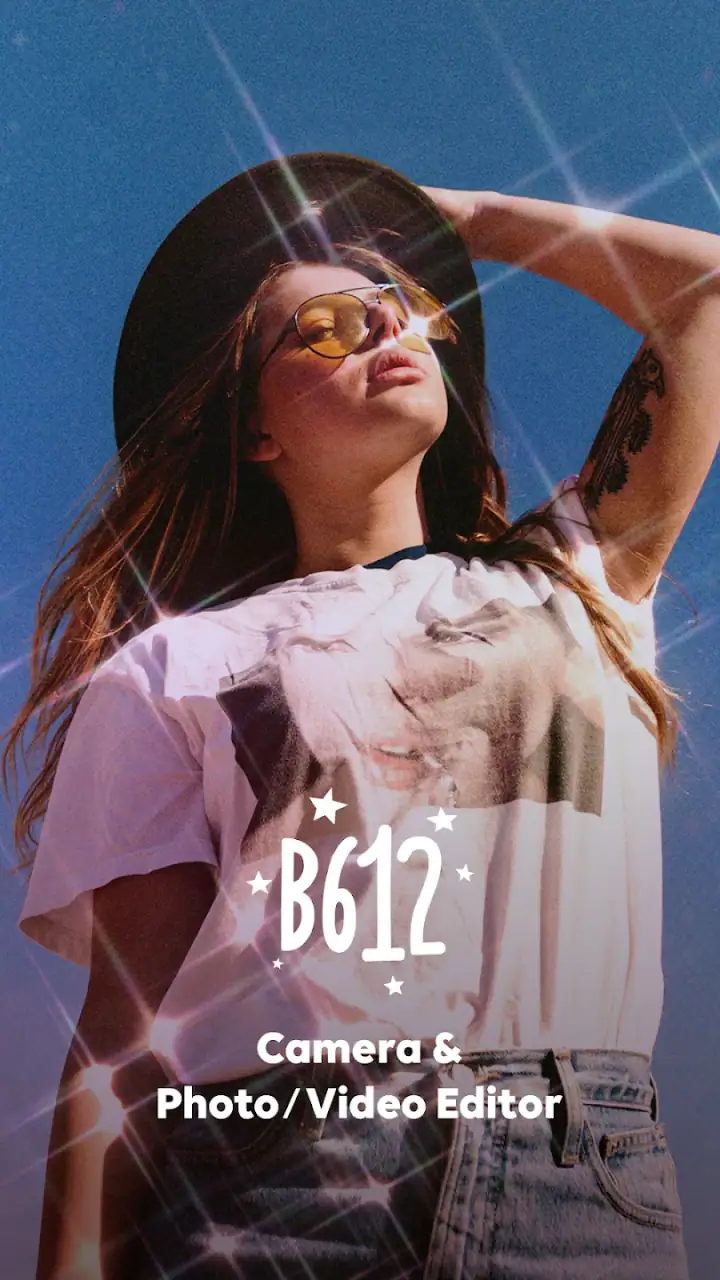
My first useful tip is to judge the result at normal viewing size, not only in the enlarged preview. Some effects look impressive when you are inspecting the screen closely but become distracting once the image is viewed as a small post or sent in a chat. B612 is at its best when the effect supports the moment rather than becoming the entire subject.
Setting up B612 without making the first session complicated
After installing the app, I would keep the first session deliberately simple. Open the camera, look at the available controls, and take a plain test image before exploring the full collection. This gives you a reference point for how much each filter changes the original lighting and skin tones.
The app is rated for Everyone, which makes it approachable for a broad audience, including families looking for a straightforward creative camera. That rating should not be confused with a promise that every visual style will suit every age or preference. The best approach is still to preview an effect before using it in a shared family photo or public post.
One practical question new users often have is whether they need to pay before they can understand the app. You do not need to begin with a purchase. The free entry point lets you explore the central camera experience, while optional items are there for people who want additional creative choices. I would wait until you know which kind of editing you actually use before spending anything.
Another question is whether B612 replaces the camera already on a phone. In my experience, it is better viewed as a creative layer on top of the ordinary camera experience. A phone’s default camera is usually the safer choice when you want the most neutral image, dependable document capture, or a straightforward record of a scene. B612 earns its place when the visual treatment is part of the reason for taking the picture.
A simple setup routine that saves time
My preferred first-session routine is to take three test shots in the same spot: one with no effect, one with a subtle filter, and one with a more noticeable treatment. This is not about comparing technical image quality. It is a quick way to learn how the app’s style interacts with your room lighting, skin tone, hair, glasses, and background.
If you are using the front camera before leaving home, check the background as carefully as your face. A strong effect can make the portrait feel polished while a cluttered background remains obvious. I also suggest taking a step back for at least one frame. Close selfies show the face clearly, but a little distance gives stickers, clothing, and surroundings more room to fit naturally.
For short videos, make the first attempt brief and purposeful. Try a small movement, a change of expression, or a simple turn toward the camera. This lets you see whether an effect remains comfortable while the image moves. A filter that looks charming on a still frame may feel excessive when it stays active throughout a clip.
Getting to the first meaningful result
The first successful action should not be “find the most impressive effect.” It should be creating one image you would genuinely send to someone. I suggest starting with a familiar situation: take a selfie near a window, choose a restrained filter, adjust the framing, and save or share only after looking at the whole composition.
That workflow highlights one of B612’s real strengths. The app reduces the gap between idea and result. Instead of taking a neutral photo, opening a separate editor, searching through adjustment panels, and exporting a copy, you can make the creative decision while framing the shot. For a friend who wants a finished social image quickly, that is more valuable than a long list of advanced controls.
Here is a realistic everyday example. Imagine you are meeting friends after work and want to send a quick group selfie. The light is uneven, nobody wants a long photo session, and a plain camera image looks dull. I would open B612, test a gentle effect, move the group slightly toward the brighter side of the room, and use a small sticker only if it helps the mood. The important result is not technical perfection; it is a photo that feels ready to share without another editing round.
For a single portrait, I recommend checking three things before you commit: whether the face is still recognizable, whether the eyes remain clear, and whether the effect has changed the background in a distracting way. These checks are especially useful with stronger treatments. A creative filter can be flattering in one image and unhelpful in another because lighting and expression have changed.
The most useful habit is to separate correction from decoration. First choose a look that gives the photo a comfortable overall tone. Only then add a sticker or more dramatic visual element. If you stack choices too quickly, it becomes difficult to tell which part improved the photo and which part merely made it busier.
Using B612 for more than selfies
Although the app’s identity is closely associated with selfies, I found several situations where it makes sense beyond face-focused portraits. A travel photo can benefit from a playful frame or color treatment when the goal is a personal memory rather than a faithful record. A pet photo can become more expressive with a light decorative touch. A birthday clip can feel more lively when the effect matches the occasion.
Still, the subject should determine how much editing you use. A landscape with a strong face-oriented effect may look unnatural, while a subtle color treatment can help it feel cohesive. For food, avoid letting stickers or overlays cover the dish itself. B612 is flexible enough for these uses, but it rewards restraint when the subject already has visual interest.
One less obvious advantage is speed during spontaneous moments. If you are taking several photos in a short period, making the creative choice before capture can be more efficient than editing each image later. The trade-off is that you need to pay attention while shooting. A filter selected in a hurry can become part of every frame until you remember to change it.
Where first-time users can become confused
The biggest source of confusion is the difference between what is immediately available and what belongs to the larger collection of optional creative material. A preview may look appealing, but a first-time user should not assume that every visible item is part of the free experience. If an item prompts for a purchase, I would simply return to the main camera and continue testing the included options.
Another point of friction is choice overload. A large selection sounds helpful, but it can make the app feel less focused when you are trying to take one picture quickly. My solution is to create a personal shortlist mentally: one natural option, one bright option, and one playful option. You do not need to explore everything before making a good image.
Users also sometimes expect a filter to solve poor lighting, awkward framing, and motion blur at the same time. B612 can change the visual mood, but it cannot replace basic photography decisions. Face a light source, keep the phone steady, and leave enough space around the subject. The app works best when the original frame is already reasonably clear.
There is also a social judgment question: when does editing become too much? My answer depends on the purpose. For a joke among friends, an exaggerated sticker can be exactly right. For a professional profile or a photo meant to represent you accurately, I would use a light touch or choose the phone’s normal camera instead. The app makes strong transformations easy, so the responsibility for matching the effect to the situation remains with the user.
Privacy-conscious users may also want to think carefully about their own comfort before using any camera app, especially when photographing other people or children. The Everyone content rating describes the app’s broad suitability, but it does not remove the need for ordinary judgment about consent and sharing. I would always ask before posting someone else’s edited portrait.
How it compares with the usual alternatives
Compared with a phone’s default camera, B612 is more immediate and expressive but less neutral. The default camera is the better choice for dependable everyday documentation, while B612 is better when you already know that a filter, sticker, or visual mood belongs in the final image.
Compared with a full photo editor, B612 is faster to learn and faster for casual results. A traditional editor usually gives you more control over individual adjustments, layers, cropping, and fine corrections. That extra control is worthwhile for photographers who want repeatable, precise results. For someone who wants a polished selfie before sending it, the deeper editor may feel like unnecessary work.
Compared with a social network’s built-in camera, B612 can feel more focused on the image-making stage. You can experiment before deciding where the photo belongs. That separation is useful if you want to save a picture, send it privately, or use it in more than one place, although a social app may be more convenient when you are already publishing there.
In short, B612 occupies a practical middle ground: more creative than a plain camera, less demanding than a professional editor, and centered on quick visual decisions. That is also its limitation. If you want detailed control over every part of a photograph, you will probably outgrow it or use it alongside another editor.
Choosing the next step after the first successful photo
Once you have made one image you like, do not immediately buy more effects. Instead, repeat the same workflow in a different situation. Try a portrait outdoors, a small group shot, or a short clip with movement. This will tell you whether you enjoy the app itself or only liked one particular effect.
If you mainly take selfies, build a small routine around lighting and framing rather than relying on stronger filters. If you make short videos, test how the chosen look behaves while you move. If you use B612 for friends and family, decide in advance whether the final image should be playful, natural, or deliberately exaggerated. A clear purpose makes the large creative catalog much easier to navigate.
People who enjoy experimenting may find the optional purchases worthwhile, but I would approach them as individual decisions. The price range reaches from $0.99 to $69.99 per item, which is wide enough that checking each purchase carefully matters. Buy only when a particular tool fits the way you actually create, not simply because it appears while you are browsing.
There are also clear cases where I would skip B612. I would not make it my primary choice for professional product photography, accurate records, detailed retouching, or images where natural texture is essential. I would also avoid depending on it when I need a completely distraction-free camera interface. In those situations, the default camera or a dedicated manual editor is likely to be a better match.
For first-time users, however, the learning curve is friendly as long as you resist trying everything at once. Start with one photo, one subtle effect, and one honest question: would I actually share this result? That approach turns the app from a crowded collection of visual options into a useful everyday camera companion.
My overall opinion is positive, with a clear boundary. B612 is a strong free photography app for quick portraits, expressive snapshots, and casual videos, especially if you like seeing the result while you are composing the shot. It is widely used, carries an Everyone rating, and has the kind of instant feedback that makes experimentation enjoyable. Its main weaknesses are choice overload, the possibility of over-editing, and the limits of a fast creative camera compared with a precise editor.
If I were recommending it to a friend, I would say this: install it when you want your phone camera to feel more playful and you value a quick path from idea to shareable image. Begin with the free tools, test them in real lighting, and keep your effects matched to the moment. B612 is most successful when it adds personality without hiding the person or scene you wanted to capture.
FAQs for B612 AI Photo&Video Editor
What features does B612 AI Photo & Video Editor offer?
B612 is packed with a variety of features, including AI-powered editing tools, a wide array of filters, beauty effects, and AR stickers. It also supports video editing, allowing users to create fun and dynamic clips. Furthermore, the app provides tools for creating collages and GIFs, making it a versatile choice for both photos and videos.
Is B612 AI Photo & Video Editor free to use?
Yes, B612 AI Photo & Video Editor is free to download and use. However, it offers in-app purchases and premium features that require a subscription. These often include advanced editing tools, exclusive filters, and ad-free usage, providing enhanced capabilities for users looking to elevate their editing experience.
How user-friendly is B612 AI Photo & Video Editor for beginners?
B612 is designed with an intuitive interface that is accessible for beginners. The app provides a straightforward navigation system, with easy-to-use tools and clear instructions. Its simplicity does not compromise its functionality, making it suitable for users of all skill levels who want to edit photos and videos efficiently.
Does B612 AI Photo & Video Editor require an internet connection?
B612 can be used offline for basic photo and video editing. However, accessing cloud-based features, downloading new filters, or sharing your creations directly to social media may require an internet connection. For the best experience, it's recommended to have periodic internet access to utilize all features fully.
What devices and operating systems are compatible with B612?
B612 is available on both Android and iOS platforms, making it compatible with a wide range of smartphones and tablets. Ensure your device is running a compatible OS version, typically Android 5.0 or higher and iOS 11.0 or later, to enjoy all the features the app has to offer seamlessly.
Pros
- Intuitive interface for easy editing.
- Wide variety of filters and effects.
- AI features enhance photo quality.
- Supports both photos and videos.
- Regular updates with new content.
Cons
- Some features require in-app purchases.
- Occasional ads can be intrusive.
- High-quality edits may consume more storage.
- AI features need internet access.
- Limited manual control over effects.


